

Instagram* Shadowban: How to Check, Fix, and Recover
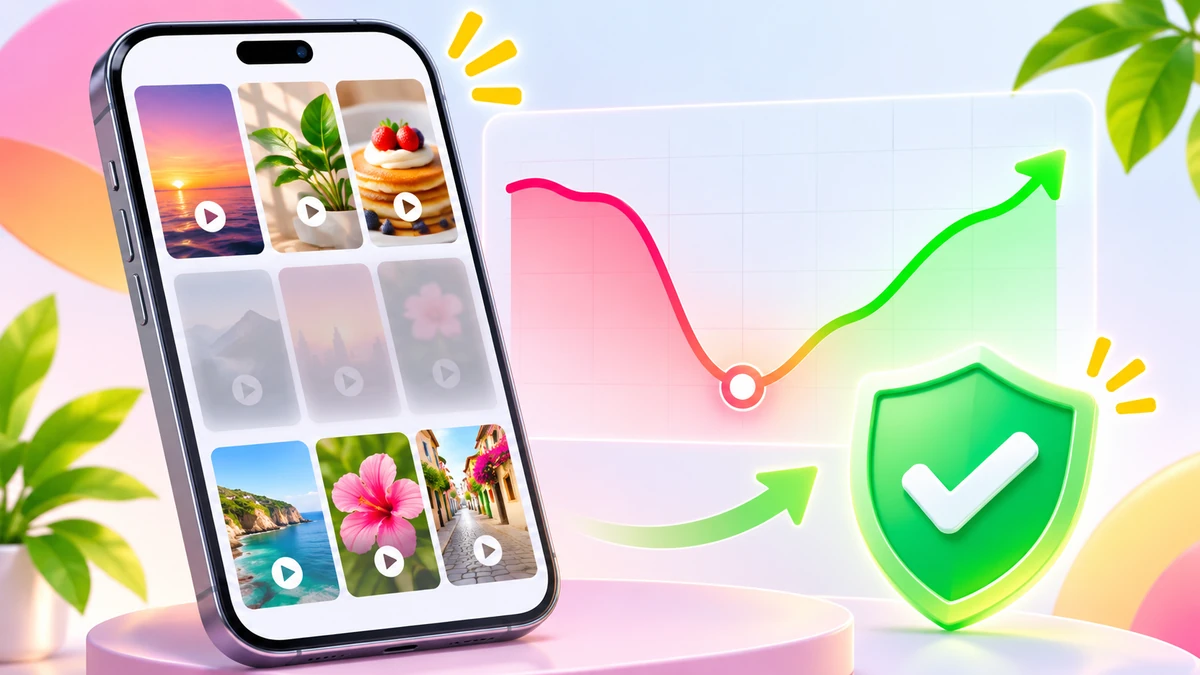
An Instagram* shadowban is often blamed when Reels and posts suddenly stop reaching non-followers, even though the account has received no violation notice. Instagram* doesn't use one official definition of shadowbanning, but it does restrict certain accounts and posts from appearing in recommendations. You can check for those restrictions in Account Status.
If you're trying to figure out how to check if you're shadowbanned on Instagram*, start there. A clean Account Status usually means you should investigate your content and engagement before assuming your account has been penalized.
Is the Instagram* shadowban real?
In Instagram Ranking Explained, published on May 31, 2023, Instagram* head Adam Mosseri addressed shadowbanning directly. He explained that people use the term for different situations, often when their content becomes less visible without a clear explanation. Instagram* says deliberately hiding or suppressing content without explanation is not its goal.
Instead, the platform distinguishes between Community Standards and Recommendations Guidelines. Content that violates Community Standards can be removed. Recommendations Guidelines are stricter: a post may remain on your profile while being excluded from places where Instagram* suggests content to people who don't follow you.
These surfaces include Explore, the Reels feed, suggested posts in Feed, Search, and suggested accounts. Recommendation restrictions apply to public accounts and affect distribution to non-followers. Existing followers can still see your content.
If your entire account is ineligible for recommendations, none of its posts will be recommended, including posts that don't individually violate the guidelines.
Eligibility doesn't guarantee distribution. Instagram* also says it doesn't deliberately reduce reach to pressure creators into buying advertising.
Instagram* shadowban signs vs. a normal reach drop
A sudden decline in views is a reason to investigate, not proof of a shadowban. Compare what Account Status reports with the performance of your posts.
| What you notice | What it could mean |
|---|---|
| Account Status flags Recommendations Guidelines | Instagram* has identified an issue affecting recommendation eligibility. Check the reason and affected content. |
| Non-follower reach drops sharply, but follower reach stays stable | This is consistent with reduced recommendation distribution. Account Status can help confirm whether a restriction exists. |
| Both follower and non-follower reach decline | The cause isn't clear. Review your content performance and account eligibility. |
| One Reel performs poorly while others continue reaching people | The individual video may have received a weak response or contain elements that reduce visibility. |
| Account Status lists removed content | A previous removal doesn't automatically prove that recommendations are currently restricted. |
| Account Status shows no recommendation issues | No restriction is displayed. Low views alone don't establish a shadowban. |
If Account Status is clean and only one or two videos have underperformed, examine the content and early engagement first. Buying Instagram* views is an option to consider only for an account without recommendation restrictions. Purchased views don't fix a weak video or guarantee organic recommendations.
How to check if you're shadowbanned on Instagram*: 4 steps
1. Check Account Status
Account Status is Instagram*'s official tool for reviewing account restrictions. In the mobile app, find it in your account settings under the support section, or use the settings search to locate Account Status.
On the web, the documented path is More, Settings, then Account Status under More info and support.
Every account can review information about Removed content, Features you can't use, and decisions made under Community Standards. The section also provides a Request a review option for eligible removal decisions.
Professional accounts, including creator and business accounts, receive additional information about Recommendations Guidelines. This includes whether their content can appear to non-followers in Explore, Search, suggested accounts, Reels, and recommended Feed content.
If Instagram* identifies an issue, Account Status can show examples of affected posts, the guideline involved, and whether profile elements are preventing recommendations.
The recommendation eligibility feature became available to professional accounts on December 7, 2022. Additional information about account visibility in Search and suggested accounts followed on April 25, 2023.
2. Compare follower and non-follower reach
Open Insights for your creator or business account. Find the accounts reached metric and its breakdown between followers and non-followers.
Compare the period before your reach dropped with the period afterward. Look for a clear change in the share of people who weren't already following you.
If follower reach remains relatively stable while non-follower reach falls, investigate recommendation eligibility. If both decline, inspect individual posts and their engagement.
Also compare the timing of the drop with any content identified in Account Status. Insights show what happened, but they don't establish why.
3. Search for your profile from another account
You can try finding your username or a specific post from another account. However, Instagram* doesn't describe this as an official shadowban test.
Search results can vary between viewers. Failing to find a post in one search doesn't prove your account has been restricted.
Use this check as a secondary observation, never as your main diagnostic method.
4. Review your profile
Confirm that your account is public. Instagram* recommends content from public accounts, and creator and business accounts are public by default.
Check your profile photo, name, username, and bio. Instagram* can restrict account-wide recommendations because of information displayed in these fields.
Be cautious with third-party shadowban checkers. They cannot replace Instagram*'s own Account Status. Never give a diagnostic service your account password.
Why Instagram* accounts become ineligible for recommendations
Instagram* publishes Recommendations Guidelines explaining which posts and accounts it tries not to recommend. These restrictions can apply even when content remains visible on the creator's profile.
Content that doesn't meet recommendation guidelines
Some material may be allowed on Instagram* but excluded from recommendations. The guidelines cover content involving self-harm, suicide, eating disorders, violence, sexually suggestive imagery, and promotion of regulated products.
Examples of regulated products include tobacco, vaping products, adult products and services, and pharmaceuticals. Promotion of weight-loss products and cosmetic procedures may also affect recommendation eligibility.
Unoriginal or low-quality content
Instagram* may avoid recommending material copied from another source with only minor changes and no meaningful added value.
Other examples include unusually long captions unrelated to the post and coordinated comment networks intended to artificially increase engagement or distribution.
When Instagram* identifies identical posts, it recommends the original rather than the duplicate.
Problems with the account itself
An account may become ineligible because of recent Community Standards violations, repeated or recent publication of content that doesn't meet Recommendations Guidelines, or problematic information in its profile.
Instagram* also identifies repeated misleading audience-growth practices, advertising bans, and repeated recent false or altered content ratings from independent fact-checkers as reasons to limit account recommendations. Fact-checking restrictions apply where that system operates.
Another listed reason is repeatedly and recently posting content prominently featuring a photorealistic AI-generated person without an AI label in the profile.
Reels-specific visibility issues
Not every underperforming Reel indicates an account-level restriction. Instagram* also makes certain video formats less visible:
Low-resolution videos or videos with visible watermarks.
Reels without sound or with borders.
Videos consisting mainly of text.
Reels that have already been published on Instagram*.
Instagram*'s creator guidance also states that Reels must be no longer than 3 minutes to qualify for recommendations.
Check the video itself before treating disappointing views as evidence of an account-wide restriction.
Does buying likes cause an Instagram* shadowban?
We'll be direct, even though selling engagement is part of our business. Instagram* explicitly lists repeatedly using misleading practices to build an audience, such as purchasing likes, among the reasons an account may become ineligible for recommendations. Repeated behavior matters in the wording of the guidelines. That doesn't make a single purchase risk-free.
On November 19, 2018, Instagram* announced measures against inauthentic activity. The platform said it was using machine learning to identify accounts using third-party applications that generate artificial likes, follows, and comments, and to remove that activity. Instagram* also warned that sharing login credentials with such applications makes accounts less secure. Users receiving related notifications were advised to change their passwords, while continued use of these applications could affect their Instagram* experience.
Volume and repetition are relevant when assessing risk. A sudden engagement spike on a small account can look unnatural, but Instagram* doesn't publish a safe purchase threshold. Nobody, including boost-like, can guarantee that purchased engagement carries no risk. Our ordering process requires a post or profile link and the requested quantity, not your Instagram* password.
How long does an Instagram* shadowban last?
Instagram* doesn't publish a universal shadowban duration. Its creator guidance says repeated violations can make an account ineligible for recommendations for a period of time, without specifying how long that period lasts.
There is one documented numerical threshold related to repeatedly reposting other people's content.
In guidance published on April 30, 2024, Instagram* explained that accounts posting content from other Instagram* users 10 or more times within the previous 30 days, without creating or substantially improving that content, become ineligible for recommendations.
Eligibility can return once the number of qualifying reposts falls below 10 within that rolling 30-day window. This isn't a general 30-day shadowban rule. The window continuously changes as older reposts fall outside it.
For other restrictions, no fixed recovery period is provided. Review the issue in Account Status, correct what you can, and use the available appeal process if you believe the decision is wrong.
How to remove an Instagram* shadowban: step-by-step recovery plan
Open Account Status. Identify whether Instagram* has flagged an individual post, profile information, or your entire account's recommendation eligibility. Read the examples and the specific Recommendations Guidelines involved.
Correct the affected content. If Account Status identifies a post that violates recommendation rules, use Edit or remove content to make the available changes. Avoid deleting unrelated posts simply because their reach is low.
Appeal an incorrect decision. If you disagree with a recommendation restriction, select Disagree with decision. For an eligible removal decision, use Request a review. Instagram* says its team can review the decision again but doesn't specify a response deadline.
Fix profile-level problems. Review your photo, display name, username, and bio if Account Status indicates that your profile affects eligibility. Address the specific issue rather than repeatedly changing unrelated details.
Stop reposting unoriginal material. Avoid uploading someone else's Reel without substantial changes. Instagram* suggests sharing videos to Stories with the Share option instead. For joint content, use Instagram* Collabs. If your account was restricted for repeated reposting, monitor the rolling 30-day threshold.
Publish original Reels and monitor non-follower reach. Check video resolution, audio, and visible watermarks. Compare how new posts perform after the reported issue has been addressed.
Review Account Status regularly. Instagram* recommends checking it periodically so you can identify new restrictions and use the available correction or appeal options.
Don't assume that submitting an appeal immediately restores distribution. Instagram* doesn't provide a guaranteed review time, and eligibility itself doesn't guarantee views.
What not to do when your Instagram* reach is restricted
Don't pay someone who promises to remove a shadowban. The documented process involves correcting the flagged issue or requesting a review through Instagram*. Paying for views or followers doesn't reverse a recommendation decision.
Don't share your login credentials with third-party checkers or engagement applications. Instagram* has specifically warned about the security risks associated with these tools.
Don't repeatedly delete and reupload the same Reel hoping to reset its reach. Previously published videos may receive reduced visibility, and Instagram* prioritizes original material when it identifies identical posts.
Don't try to overcome account-level recommendation restrictions by buying engagement. If the account is ineligible, additional purchased views don't restore recommendation eligibility.
Account Status is clean, but Instagram* reach is still down
Reach naturally fluctuates. Instagram* explains that eligible content is initially shown to a smaller audience. Posts with stronger responses can then reach a broader group, followed by further distribution if they continue performing well.
That means a Reel can stop gaining views without any recommendation penalty.
Instagram* considers engagement signals such as how many people like, comment, share, and save a post, and how quickly those interactions happen. A viewer's previous interactions with the creator also influence ranking.
Compare your stronger and weaker videos. Look at the content, resolution, sound, visible watermarks, and engagement patterns. A post that doesn't receive enough positive response from its initial audience may not be distributed much further.
If Account Status shows no issues, focus on the content itself. Our guide to why Instagram* Reels aren't getting views covers that problem separately.
Frequently asked questions
Is shadowbanning on Instagram* actually real?
Instagram* doesn't provide one official definition of shadowbanning. However, restrictions on recommendation eligibility are real. Professional accounts can check whether posts or profile information are preventing distribution to non-followers through Account Status.
How do I check if I'm shadowbanned on Instagram*?
Open Account Status and review Recommendations Guidelines. Look for flagged posts or profile-level issues. Then use Insights to compare follower and non-follower reach across different periods. A search from another account is only an indirect check.
How long does an Instagram* shadowban last?
There's no official duration for most recommendation restrictions. The documented rolling 30-day rule applies specifically to accounts repeatedly reposting other users' content without substantial changes. Other restrictions have no published fixed end date.
Can I pay to remove an Instagram* shadowban?
Buying views, likes, or followers doesn't remove recommendation restrictions. Use Account Status to correct the issue or request a review if Instagram* made a mistake. Boost-like doesn't sell or guarantee shadowban removal.
Does buying Instagram* likes cause a shadowban?
It can contribute to recommendation ineligibility. Instagram* explicitly identifies repeated misleading audience-growth practices, including purchasing likes, as a reason to stop recommending an account. It doesn't publish a risk-free purchase amount.
Can followers still see my posts if I'm shadowbanned?
Yes. Recommendation restrictions affect distribution to non-followers, not the ability of existing followers to see your content. Individual posts may remain available on your profile even when Instagram* excludes them from recommendations.
Does a personal Instagram* account have Account Status?
Yes. Personal accounts can see removed content, feature restrictions, and applicable review options. Professional accounts additionally receive information about recommendation eligibility, including examples of content that may prevent their posts from reaching non-followers.
After your account becomes eligible for recommendations again
Once Account Status no longer shows a recommendation restriction, focus on how new posts perform with their initial audience. Early likes, comments, shares, and saves are among the signals Instagram* uses to determine further distribution. For eligible accounts, Instagram* reach services include photo reach at 13 ₽ per 1,000 and impressions with reach at 14 ₽ per 1,000. These are purchased metrics, not a guarantee of organic growth.
Other Instagram* promotion services include Reels views from 5 ₽ per 1,000, Reels views with impressions at 9 ₽ per 1,000, and Reels saves at 36 ₽ per 1,000. Gradual delivery is available for Reels views. Orders require a link and quantity, without your password. These services can add paid engagement to content that's already working; they cannot remove Instagram* restrictions.