


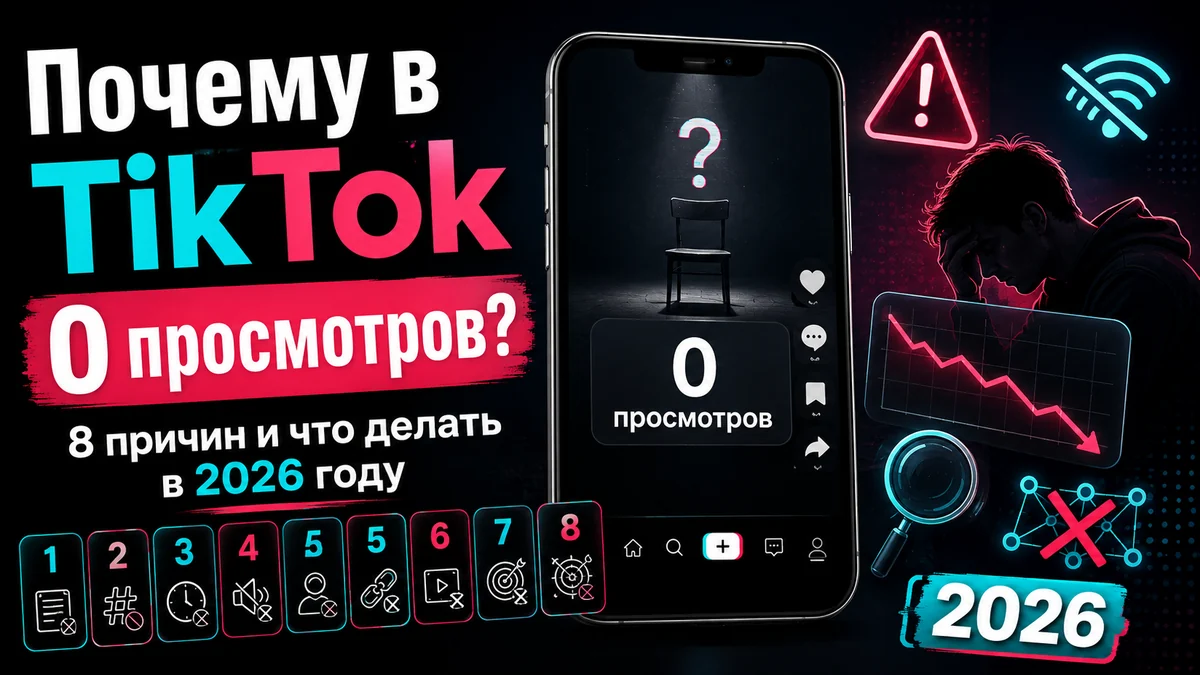
Why Your TikTok Videos Get 0 Views: 8 Reasons and How to Fix It
You post a video, check back an hour later, and the counter still reads zero. Not twelve views, not fifty — zero.
The good news: in most cases this is not a ban and not a death sentence for your account. The bad news: there are several possible causes, and they need different fixes. Deleting the video and re-uploading it — the advice you will find in every comment section — usually makes things worse.
Below are all the causes, ordered from most to least common, plus an honest note on the cases where nothing can be done.
Quick diagnosis: where to start
Before reading everything, narrow it down. The symptom almost always points to a specific cause.
| What you see | Most likely cause |
|---|---|
| Zero for the first few hours, then views start | The video was under review |
| New account, zero on the first 3–5 videos | The algorithm has no data on your profile |
| Zero on one video, the rest are fine | That specific video failed moderation |
| Used to get thousands, now stuck at 100–200 | Limited reach, not zero |
| Views exist but stop after the first hundred | Weak retention, the algorithm halted the rollout |
| Zero on every video, you post through a VPN | Region and network signals do not match |
1. The video is still under review
Every upload goes through automated moderation before it earns its first impressions. That usually takes minutes, but under heavy load it can take hours.
The tell-tale sign: zero holds for 6–24 hours, then views start climbing on their own without you doing anything.
What to do: nothing. This is the one case where waiting a full day is the best strategy. Deleting and re-uploading here is the worst move — you reset the review, start it over, and give the system a reason to treat your account's behaviour as unstable.
2. A new account with no history
The algorithm needs data to decide who should see your video. A fresh profile with no avatar, no bio, no follows and no watch history gives it nothing to work with.
People call this state "the sandbox". The term has stuck, though the platform has never confirmed it — and that distinction matters: there is no formal newcomer quarantine with a fixed duration. The observed behaviour has a simpler explanation. The system has nothing to base an audience choice on, so the test rollout is either very narrow or does not happen at all.
What to do: before your first post, let the account behave like a normal user for a few days — scroll the feed, like things, follow accounts in your niche, fill in the bio and avatar. That is how you build the interest profile the algorithm later uses to pick your viewers.
3. Community guidelines
This is not only about the obvious violations. Automated moderation also reacts to borderline material:
aggressive clickbait and "earn money with no effort" promises
any mention of restricted or grey-area topics, even in passing
links to outside platforms in the description
copyrighted music used without rights
medical or financial advice without disclaimers
What to do: check your notifications and the account status section — a restriction is usually flagged there. If it is confirmed, only time and clean posting will help: reach typically recovers within a couple of weeks without further violations. More on how these restrictions work in our breakdown of shadowbans on social media.
4. Technical problems with the video itself
The platform filters out content that looks second-hand or low quality. The usual offenders:
Watermarks from other platforms. A competitor's logo in the corner is the most common and the easiest to fix.
Signs of a re-upload. A downloaded video is recognised by its digital fingerprint, even if you cropped the edges.
Dark or blurry footage, muddy audio. Production quality directly affects distribution priority.
A clip too short to carry any content. There is nothing in a two-second video for the algorithm to evaluate.
What to do: rebuild the video from the source footage rather than re-uploading the same file. The same file is exactly what the system recognises.
5. A private account or restricted video settings
The simplest cause, and the one most often overlooked. If the profile is set to private, only your followers see the videos — they never reach the For You feed at all.
Check the per-video settings too: there are separate toggles for visibility and for allowing the video to be recommended to other users.
6. Activity spikes that look automated
Five uploads back to back, a sudden burst of follows, logins from several devices in a short window — all of it resembles the behaviour of an automated account.
What to do: return to a steady rhythm. One or two videos a day at normal intervals produce noticeably better results than a batch pushed out within an hour.
7. The algorithm cannot tell what the video is about
If the video has no clear subject and the caption bears no relation to the footage, the system has no category to place it in.
On hashtags specifically: strings like #fyp #foryou #viral do not help — they carry no information about the topic and dilute the signal. Two or three hashtags that actually describe the content are far more useful.
How the algorithm decides what to show and which factors weigh most is covered in our article on getting into TikTok recommendations.
8. You post through a VPN or from a restricted region
TikTok is unavailable or restricted in a number of countries, and creators there publish through VPNs, foreign eSIMs, changed device regions or modified app builds.
The problem is rarely the VPN itself — it is inconsistency. When the device region says one country, the IP address says another, the carrier a third and the interface language a fourth, the platform receives a contradictory set of signals. The upload often succeeds technically, but the video never enters the recommendation feed: there is no coherent audience to show it to.
What to do: if you work around a restriction, do it completely. Region, VPN endpoint, interface language and SIM should all point at the same country rather than four different ones. Switching servers mid-session is worth avoiding for the same reason.
A separate case: views dropped but are not zero
If your videos used to pull thousands and now stall at one or two hundred, this is a different story. There is no zero here — there is limited reach.
Retention is usually the culprit. The algorithm shows the video to a small group, watches the completion rate and decides whether to widen the rollout. If those first viewers swipe away at the second mark, distribution stops — no number of hashtags will change that.
Check your average watch-through rate in the account analytics. Anything below 30% means the problem is in the opening seconds, not in the algorithm. The same mechanics apply on other platforms — we covered them for YouTube Shorts.
What not to do
Three pieces of advice that circulate everywhere and reliably make things worse:
Deleting the video after an hour. While the review is running, zero is the normal state. Deleting resets the process and damages your profile statistics.
Re-uploading the same file. The system recognises the video by its fingerprint. If the file was rejected once, it will be rejected again.
Trying to break through zero with paid promotion. We will be blunt, even though we sell these services ourselves: if a video is stuck in review, blocked by a regional restriction or sitting under an account limitation, no amount of external views will revive it — they simply will not land. Fix the cause first, then amplify what already works.
Five-minute checklist
Has it been more than 24 hours since you posted?
Is the account set to public rather than private?
Are there any restriction warnings in your notifications?
Is the video free of watermarks from other platforms?
Did you shoot the footage yourself rather than download it?
Is the description free of external links?
Do your hashtags describe the topic instead of begging for reach?
Is your average watch-through rate above 30%?
If you use a VPN — do region, network and language all point at one country?
If every box is ticked and zero still holds across several videos for more than two days, the cause is almost certainly in the last point rather than in your content.
Once the cause is fixed
When your videos start getting impressions again, the first hours after publishing decide how widely the algorithm rolls them out. TikTok views help with that initial push, and our other TikTok services cover profile activity.
But to repeat the point we started with: this is an amplifier, not a cure. It does not fix zero views — settings, video quality and patience do.